
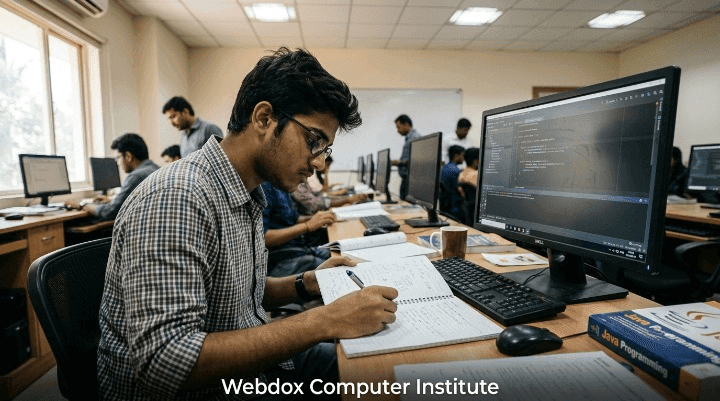
Mastering computer applications early gives students a distinct advantage in both academic assessments and practical technology use. Whether you are aiming for top marks in school exams or building a strong foundation in digital tools, having structured CBSE Class 9 Information Technology Notes is essential
At Webdox Computer Institute, we provide comprehensive Class 9 IT study material engineered to simplify technical concepts, boost practical skills, and maximize exam scores
CBSE Class 9 IT 402 Syllabus Breakdown
The CBSE Class 9 IT syllabus for Subject Code 402 carries 100 total marks, divided into 50 Marks Theory and 50 Marks Practical/Internal Assessment
Part A: Employability Skills (10 Marks)
-
Unit 1: Communication Skills – Communication cycles, verbal/non-verbal types, barriers, and basic writing skills
-
Unit 2: Self-Management Skills – Self-awareness, goal setting, time management, and stress management
-
Unit 3: ICT Skills – Computer systems, operating systems, file management, and internet fundamentals
-
Unit 4: Entrepreneurial Skills – Role of entrepreneurs, business characteristics, and risk-taking
-
Unit 5: Green Skills – Sustainable development, eco-friendly habits, and environmental protection
Part B: Subject-Specific Skills (40 Marks)
-
Unit 1: Introduction to IT-ITeS Industry – Business Process Management (BPM), BPO services, and IT applications
-
Unit 2: Data Entry & Keyboarding Skills – Rapid typing techniques, ergonomics, and numeric keypad usage
-
Unit 3: Digital Documentation (LibreOffice Writer) – Text formatting, table creation, images, and page layouts
-
Unit 4: Electronic Spreadsheet (LibreOffice Calc) – Formulas, functions (SUM, AVERAGE, MAX, MIN), cell referencing, and charts
-
Unit 5: Digital Presentation (LibreOffice Impress) – Creating slides, animations, slide transitions, and master slides
CBSE Class 9 Information Technology Unit-Wise Notes
Part A — Employability Skills Notes
1. Communication Skills Notes
Communication is the process of sharing information between a sender and a receiver
-
Verbal Communication: Uses spoken or written words (e.g., face-to-face chats, emails)
-
Non-Verbal Communication: Expressed through body language, facial expressions, eye contact, and gestures
-
Communication Cycle:
Sender -> Message -> Encoding -> Channel -> Receiver -> Decoding -> Feedback -
7 Cs of Effective Communication: Clear, Concise, Concrete, Correct, Coherent, Complete, and Courteous
2. Self-Management Skills Notes
Self-management refers to the ability to control one’s emotions, thoughts, and behaviors effectively across situations
-
Self-Awareness: Understanding your own strengths, weaknesses, and values
-
Goal Setting (SMART): Specific, Measurable, Achievable, Realistic, and Timely
-
Time Management Techniques: Prioritizing tasks, creating daily schedules, and avoiding procrastination
3. Basic ICT Skills Notes
ICT (Information and Communication Technology) includes all devices, tools, and infrastructure used for processing and communicating data
-
Hardware vs. Software: Physical parts (CPU, Monitor, Keyboard) vs. sets of instructions (Windows, LibreOffice, Browser)
-
Operating System (OS): Interface between the user and computer hardware (e.g., Linux, Windows)
-
File Management: Organizing documents in dedicated folders with logical naming conventions
Part B — Subject-Specific Skills Notes
1. Introduction to IT-ITeS Industry
-
IT (Information Technology): Creating, managing, storing, and exchanging information using computers
-
ITeS (IT-Enabled Services): Services that leverage IT to improve business operations (e.g., call centers, medical transcription)
-
BPO (Business Process Outsourcing): Contracting business operations to third-party providers
-
BPM (Business Process Management): Industry structural units in India that power IT-driven services
2. Data Entry & Keyboarding Skills
-
Touch Typing Method: Typing without looking at the keyboard, relying on muscle memory
-
Home Keys:
A, S, D, Ffor the left hand andJ, K, L, ;for the right hand -
Guide Keys: The letters F and J feature raised tactile bumps for index finger positioning
-
Ergonomics: Proper seating posture, eye level kept parallel to the monitor top, and wrists remaining straight
3. Digital Documentation (LibreOffice Writer)
-
Word Processing: Creating, editing, and formatting text documents
-
Key Shortcuts:
-
Ctrl + C: Copy |Ctrl + X: Cut |Ctrl + V: Paste -
Ctrl + Z: Undo |Ctrl + Y: Redo |Ctrl + F: Find & Replace
-
-
Formatting Options: Character styling (Bold, Italic, Underline), paragraph alignment (Left, Right, Center, Justified), line spacing, and bullet points
-
Tables: Inserting grid structures with customizable rows and columns for organized data display
4. Electronic Spreadsheet (LibreOffice Calc)
-
Cell & Cell Address: The intersection of a column and a row (e.g.,
B5indicates Column B, Row 5) -
Formulas: Custom expressions that always begin with an equal sign (
=)=A1+B1 -
Common Functions:
-
=SUM(A1:A10)— Adds all values in the selected cell range -
=AVERAGE(A1:A10)— Calculates the arithmetic mean -
=MAX(A1:A10)/=MIN(A1:A10)— Finds highest / lowest value
-
-
Cell Referencing:
-
Relative (
A1): Adjusts automatically when copied across cells -
Absolute (
$A$1): Stays fixed on exact cells using dollar signs -
Mixed (
$A1orA$1): Locks either row or column independently
-
5. Digital Presentation (LibreOffice Impress)
-
Slide Master: Template controlling layout, backgrounds, fonts, and colors across all presentation slides
-
Transitions vs. Animations:
-
Slide Transition: Visual effect when moving from one slide to the next
-
Custom Animation: Visual effect applied to specific objects (text, shapes, images) within a slide
-
Class 9 IT Practice Questions & Exam Preparation
Sample Multiple Choice Questions (MCQs)
Q1. Which key combination is used to undo an action in digital documentation?
a) Ctrl + Y
b) Ctrl + Z
c) Ctrl + X
d) Ctrl + A
Answer: b) Ctrl + Z
Q2. In a spreadsheet, every formula must begin with which character?
a) +
b) #
c) =
d) @
Answer: c) =
Q3. Which keys are designated as the Home Keys on a QWERTY keyboard?
a) Q W E R T Y
b) A S D F & J K L ;
c) Z X C V B
d) 1 2 3 4 5
Answer: b) A S D F & J K L ;
Important Practical Work & Viva Questions
Sample Practical Task (Electronic Spreadsheet):
1. Open LibreOffice Calc and enter student names in Column A and marks in Column B.
2. Calculate total marks in Cell B12 using the formula =SUM(B2:B11).
3. Compute average marks in Cell B13 using =AVERAGE(B2:B11).
4. Create a Column Chart illustrating student marks relative to their names.
Top Viva Questions
-
What is the difference between relative and absolute cell referencing?
Relative referencing adjusts formulas automatically when copied to another cell, whereas absolute referencing uses dollar signs (
$) to lock row and column positions. -
What are tactile guide keys on a standard keyboard?
Keys ‘F’ and ‘J’ feature raised bumps to help typists place their index fingers correctly without looking down.
-
What is BPO in the IT-ITeS sector?
Business Process Outsourcing involves contracting non-core operational business activities to specialized third-party service providers.
Download the PDF Study Material
Want to study offline or keep a complete reference guide handy? Download the PDF for the entire CBSE Class 9 IT 402 Study Guide now!
Download the PDF – CBSE Class 9 IT 402 Complete Master Guide
The downloadable PDF includes chapter-wise notes, practical lab manuals, viva voce question bank, 50-MCQ practice suite, model test papers, and an A-Z technical glossary.
Master Class 9 IT 402 with Webdox Computer Institute
Understanding theory is only half the battle – mastering practical hands-on exercises in LibreOffice Writer, Calc, Impress, and typing speed builds true expertise
At Webdox Computer Institute, we offer specialized IT coaching, computer fundamentals training, and practical lab sessions tailored to match the CBSE Class 9 IT 402 curriculum
Why Join Webdox Computer Institute?
-
Expert Faculty: Hands-on guidance from experienced computer educators
-
Practical Labs: Individual computer access for LibreOffice Writer, Calc, and Impress tools
-
Exam Revision Material: Complete Class 9 IT short notes, question banks, worksheets, and mock tests