
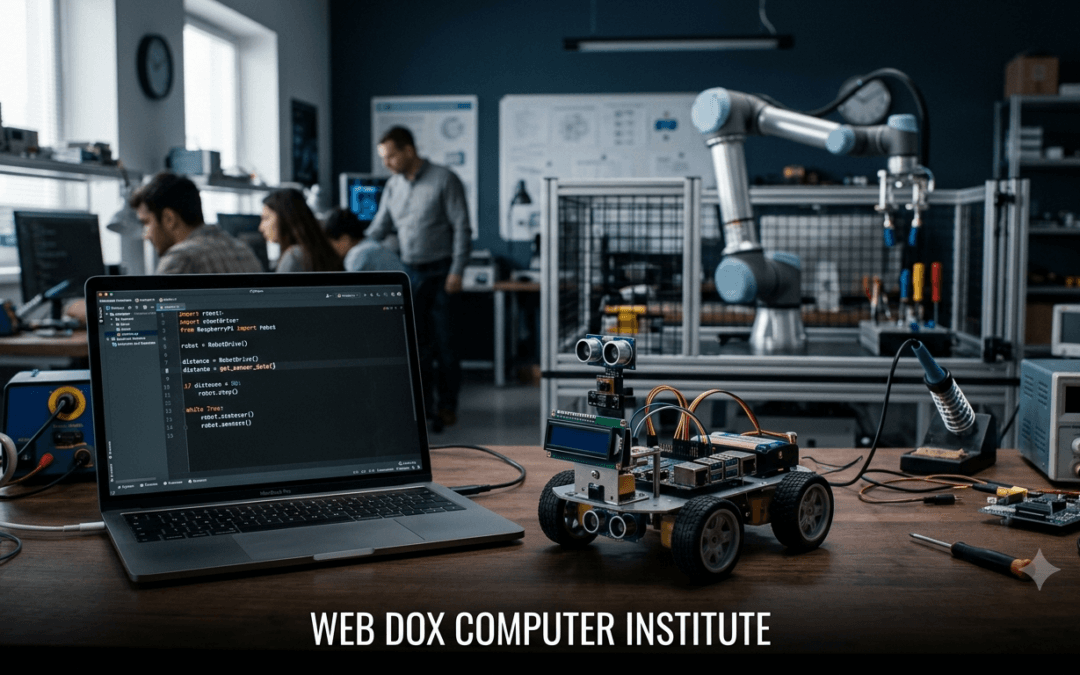
Have you ever wondered how a robot knows when to move forward, turn left, avoid an obstacle, or pick up an object?
Behind many of these actions is programming.
Robots may look complicated from the outside, but at a basic level, they follow instructions written by humans. One of the programming languages that can be used to give these instructions is Python.
Programming a robot with Python is becoming a popular way for beginners to enter the world of robotics because Python has simple syntax, a large collection of libraries, and a huge learning community.
Whether you are a student, beginner programmer, or someone interested in automation and artificial intelligence, learning Python for robotics can give you a practical way to understand how software interacts with the physical world.
In this guide, we will explain Python robotics programming, how Python is used in robots, useful hardware and libraries, beginner projects, and how you can start learning robotics with Python
What Is Programming a Robot with Python?
Programming a robot with Python means writing Python code that communicates with a robot’s hardware and tells it what to do.
A robot normally has several components, such as:
- Sensors
- Motors
- Microcontrollers or computers
- Cameras
- Wheels or robotic arms
- Communication modules
- Power supply
Python can be used to create the logic that connects these components.
For example, imagine a simple obstacle-avoiding robot.
The robot could follow this logic:
- Move forward.
- Check the distance using a sensor.
- If there is no obstacle, continue moving.
- If an obstacle is detected, stop.
- Turn left or right.
- Continue moving.
The physical components perform the actions, while the program provides the instructions.
This is the basic idea behind robot programming using Python.
Why Use Python for Robotics?
There are several programming languages used in robotics, including C, C++, Java, and Python.
So why is Python popular?
The biggest reason is its simplicity.
Python code is generally easier for beginners to read and write compared with lower-level programming languages.
For example:
if distance < 20:
    stop_robot()
else:
    move_forward()
Even if you are new to programming, you can understand what this code is trying to do.
Python also has a large ecosystem of libraries for areas such as:
- Robotics
- Computer vision
- Artificial intelligence
- Machine learning
- Data processing
- Image processing
- Automation
This makes Python useful when a robotics project needs more than simple motor control.
How Does Python Control a Robot?
A common question beginners ask is:
“Can Python directly control a robot?”
The answer depends on the robot and the hardware being used.
A typical setup may look like this:
Python Program → Computer/Controller → Motor Driver → Motors
Sensors can send information in the opposite direction:
Sensors → Controller → Python Program → Decision → Robot Action
For example, suppose a robot has an ultrasonic sensor.
The sensor measures the distance between the robot and an object.
Python can receive that information and make a decision.
if distance < 15:
    print("Obstacle detected")
else:
    print("Path is clear")
In a real robot, these instructions could be connected to functions that control motors.
This is where Python robot control becomes interesting. Instead of simply writing programs that display information on a screen, your code can produce a physical action.
Basic Knowledge You Need Before Learning Robotics
You do not need to be an expert programmer to start learning robotics.
However, having a basic understanding of Python will make the process much easier.
You should become comfortable with:
1. Variables
Variables store information.
speed = 50
distance = 25
2. Conditions
Conditions allow the robot to make decisions.
if distance < 20:
    print("Stop")
3. Loops
Robots often need to repeat an action.
while True:
    print("Checking sensor")
4. Functions
Functions help organize robot commands.
def move_forward():
    print("Robot moving forward")
5. Lists and Data
Robotics applications can involve sensor readings and other data, so understanding Python data structures is useful.
Once these fundamentals are clear, you can start exploring robotics programming for beginners.
Python Robotics Libraries
One of Python’s biggest advantages is its library ecosystem.
Depending on the robot and project, different libraries and frameworks can be used.
Some commonly encountered technologies include:
ROS and ROS 2
ROS, or Robot Operating System, is a widely used robotics framework.
It provides tools and communication mechanisms that help developers build complex robotic applications.
Python can be used to write ROS nodes and robotics applications.
If you eventually want to work on advanced robotics projects, learning Python ROS robot programming can be valuable.
OpenCV
OpenCV is widely used for computer vision.
It allows programs to process images and video.
For example, a robot equipped with a camera could potentially use computer vision to:
- Detect objects
- Identify colors
- Track movement
- Recognize shapes
- Follow a line
This leads to an important area called Python robot vision.
NumPy
NumPy is commonly used for numerical operations and scientific computing.
Robotics applications often involve calculations involving coordinates, measurements, matrices, and sensor data.
Other Libraries
Depending on the hardware, you may also encounter libraries for:
- GPIO control
- Serial communication
- Camera control
- Motor drivers
- Sensors
- Bluetooth
- Wi-Fi
The exact library depends on the robot’s hardware and software environment.
Python and Arduino Robotics
Arduino is extremely popular among students and beginners who want to build simple robots.
Arduino boards are commonly programmed using C/C++, while Python can be used alongside Arduino in some projects.
For example, you could have:
Python Application → Serial Communication → Arduino → Sensors/Motors
Python could send instructions to the Arduino, while Arduino handles hardware-level operations.
This combination is often useful for educational projects and experiments.
However, beginners should understand that Python is not automatically the programming language used directly on every Arduino board. The hardware and board capabilities determine what programming approach is appropriate.
Python and Raspberry Pi Robotics
Raspberry Pi is another popular platform for robotics.
Unlike many microcontrollers, a Raspberry Pi is a small computer capable of running a full operating system.
This makes it suitable for projects involving:
- Python
- Cameras
- Internet connectivity
- Computer vision
- Artificial intelligence
- Sensors
- Automation
A beginner could build a small robot using a Raspberry Pi, motors, sensors, and Python.
For example:
while True:
    distance = get_distance()

    if distance < 20:
        stop_robot()
        turn_right()
    else:
        move_forward()
The exact functions would depend on the hardware and libraries being used, but the programming idea remains simple.
How to Control a Robot Using Python
Let’s imagine that you are building a small two-wheel robot.
The robot has:
- Two DC motors
- Motor driver
- Ultrasonic sensor
- Raspberry Pi
- Battery
- Wheels
Your Python program could contain functions such as:
def move_forward():
    print("Moving forward")

def move_backward():
    print("Moving backward")

def turn_left():
    print("Turning left")

def turn_right():
    print("Turning right")

def stop_robot():
    print("Robot stopped")
You could then create a simple decision-making program:
distance = 30

if distance < 20:
    stop_robot()
    turn_right()
else:
    move_forward()
This example is not a complete hardware-control program, but it demonstrates the basic concept of how to control a robot using Python.
The important thing is to understand the relationship between the code, sensors, controller, and physical components.
Beginner Python Robotics Projects
The best way to learn robotics is not only by reading theory.
Try building small projects.
Here are some Python robotics projects for beginners.
1. Obstacle Avoiding Robot
This is one of the classic beginner projects.
The robot uses a distance sensor to detect obstacles.
Basic logic:
Start
 ↓
Move Forward
 ↓
Check Distance
 ↓
Obstacle?
 ↙       ↘
Yes       No
 ↓         ↓
Stop     Continue
 ↓
Turn
 ↓
Move Forward
This project teaches:
- Sensors
- Conditions
- Loops
- Motor control
- Decision making
2. Line Following Robot
A line-following robot uses sensors to detect a line on the floor.
The robot continuously checks the sensors and adjusts its movement.
For example:
Line on left → Turn left
Line in center → Move forward
Line on right → Turn right
This is a good project for understanding how sensor data can control movement.
3. Robotic Arm
A robotic arm can be programmed to move between different positions.
With appropriate hardware, Python can be used to send movement commands or control a higher-level robotics system.
A robotic arm project can introduce you to:
- Motors
- Servos
- Coordinates
- Movement
- Automation
- Python robotic arm programming
4. Voice-Controlled Robot
A more advanced beginner project is a voice-controlled robot.
You could use Python to process voice commands such as:
- “Move forward”
- “Turn left”
- “Turn right”
- “Stop”
The program converts the command into an action.
This project can combine Python robot automation with speech recognition and hardware control.
5. Camera-Based Robot
A robot with a camera can use computer vision.
For example, you could create a project where the robot detects a particular color.
A camera captures an image, Python processes the image, and the robot decides what to do.
This introduces students to Python computer vision for robotics.
What Is an Autonomous Robot?
An autonomous robot can make decisions based on information it receives from its environment.
For example, an autonomous robot might:
- Read sensor information.
- Analyze the information.
- Decide what action to take.
- Move.
- Check the environment again.
- Repeat the process.
Python can be part of this decision-making system.
This is known as Python autonomous robot programming when Python is used to implement or coordinate the robot’s autonomous behavior.
Autonomous robots are used in many areas, including:
- Warehouses
- Manufacturing
- Agriculture
- Healthcare
- Research
- Delivery systems
- Education
Python Robot Simulation
You do not always need to buy expensive hardware to start learning robotics.
Simulation can be a useful first step.
A Python robot simulator allows you to experiment with robotics concepts in a virtual environment.
Simulation can help beginners understand:
- Robot movement
- Sensors
- Navigation
- Coordinates
- Collision detection
- Robot behavior
It is especially useful when physical hardware is unavailable.
Once you understand the basic concepts in simulation, you can move toward real hardware projects.
Python Robot Navigation
Navigation is an important part of robotics.
Imagine a robot inside a room.
It needs to determine:
- Where it is
- Where it needs to go
- What obstacles are around it
- Which path it should take
Python can be used as part of systems that process sensor information and implement navigation algorithms.
At a basic level, navigation could simply mean:
Detect obstacle
      ↓
Stop
      ↓
Find another direction
      ↓
Turn
      ↓
Continue
Advanced navigation can involve mapping, localization, path planning, and other robotics concepts.
How Python Is Used in Real Robotics
Python is not limited to classroom projects.
It is used in robotics development for areas such as:
Automation
Robots can perform repetitive tasks automatically.
Computer Vision
Cameras can provide visual information that software can analyze.
Artificial Intelligence
Machine learning models can be integrated into robotics applications.
Data Processing
Robots generate sensor data that needs to be processed and analyzed.
Robot Simulation
Developers can test algorithms before deploying them to physical robots.
Research and Development
Python is widely useful for quickly testing ideas and algorithms.
The exact role Python plays depends on the robot, controller, framework, and application.
Python Robotics vs Traditional Programming
Traditional programming often produces results on a computer screen.
For example:
print("Hello World")
Robotics programming connects software with the physical world.
Instead of simply displaying:
Move Forward
your program can potentially send instructions to a motor controller that actually moves the robot.
That is what makes Python programming in robotics exciting for many learners.
You can see your code produce a physical result.
Common Mistakes Beginners Make
When starting robotics, beginners sometimes try to build a very complicated robot immediately.
That can become frustrating.
Instead, start small.
Mistake 1: Trying to learn everything at once
You do not need to learn AI, computer vision, ROS, electronics, and advanced mathematics on day one.
Start with Python fundamentals.
Mistake 2: Ignoring hardware basics
Knowing Python is useful, but robotics also requires some understanding of sensors, motors, power, and controllers.
Mistake 3: Copying code without understanding it
Copying a program may make a robot move, but it does not necessarily teach you how the system works.
Try changing one part of the program and observe what happens.
Mistake 4: Starting with an expensive project
A simple robot can teach you a lot.
You do not need an advanced humanoid robot for your first project.
A Simple Learning Roadmap for Robotics with Python
If you are completely new, follow this order.
Step 1: Learn Python Basics
Start with:
- Variables
- Data types
- Operators
- If/else
- Loops
- Functions
- Lists
- Dictionaries
- Modules
- File handling
Step 2: Learn Basic Electronics
Understand:
- Voltage
- Current
- Sensors
- Motors
- LEDs
- Resistors
- Motor drivers
- Microcontrollers
Step 3: Build Simple Robot Projects
Start with:
- LED control
- Motor control
- Sensor reading
- Obstacle detection
- Line following
Step 4: Learn Raspberry Pi or Another Suitable Platform
Learn how Python communicates with hardware.
Step 5: Explore Computer Vision
Learn OpenCV and camera-based projects.
Step 6: Explore ROS/ROS 2
Once your fundamentals are strong, explore robotics frameworks such as ROS.
Step 7: Move Toward AI and Advanced Robotics
Eventually, you can explore:
- Machine learning
- Deep learning
- Computer vision
- Autonomous navigation
- Object detection
- Robot perception
This creates a natural path from beginner robotics with Python toward advanced robotics development.
Career Opportunities After Learning Python and Robotics
Robotics is a broad field, and Python can be one part of the skill set used in different roles.
Depending on your education and additional skills, you can explore areas such as:
- Robotics programming
- Automation
- Embedded systems
- Robot software development
- Computer vision
- Artificial intelligence
- Machine learning
- Industrial automation
- Research and development
Students who combine Python with electronics, mathematics, AI, and robotics concepts can build a strong technical foundation.
However, remember that robotics is not just programming. Real-world robotics usually requires a combination of software, hardware, electronics, mathematics, and problem-solving.
Why Students Should Learn Robotics Through Projects
Reading about robotics is useful, but projects make the concepts easier to understand.
Suppose you learn about an if statement in Python.
On its own, it may feel like just another programming topic.
Now use it in a robot:
if distance < 20:
    stop_robot()
Suddenly, the concept has a practical purpose.
The same thing happens with loops, functions, variables, and sensors.
That is why project-based learning is especially useful for students who want to understand robot programming for beginners.
Start Your Robotics Journey with Python
You do not have to become an expert before building your first robot.
Start with a simple Python program.
Understand how conditions work.
Read sensor data.
Control a motor.
Build a small obstacle-avoiding robot.
Then gradually move toward computer vision, automation, ROS, and artificial intelligence.
The most important part is consistency.
Programming a robot with Python is not about memorizing hundreds of commands. It is about learning how to break a real-world problem into small steps and then using code to solve those steps.
At Webdox Computer Institute, we believe practical learning becomes much easier when students can connect programming concepts with real-world applications. If you are interested in Python, programming, data analytics, artificial intelligence, or other technology skills, learning through practical projects can help you understand not only what the code does, but also why it is useful.
Final Thoughts
Robotics brings together programming and the physical world.
Python provides a beginner-friendly way to explore this field, especially when combined with platforms such as Raspberry Pi, suitable microcontrollers, sensors, cameras, and robotics frameworks.
You can start with a simple project and gradually progress toward autonomous robots, robotic arms, computer vision, and AI-powered systems.
So if you have been searching for Python robotics programming, Python robotics projects, or how to program a robot using Python, start with the basics and build something.
Your first robot does not need to be perfect.
It just needs to move.
And once you make it move using your own code, you will have taken your first real step into robotics.